

Future printer firmware updates may affect compatible-cartridge recognition.
To reduce compatibility risk, we recommend disabling automatic printer firmware updates when using compatible cartridges.
HP “e” models and printers enrolled in HP+ may not be compatible.
Selected YRTS/ChipFlex cartridges may qualify for supplier support if a firmware update affects cartridge-chip functionality.
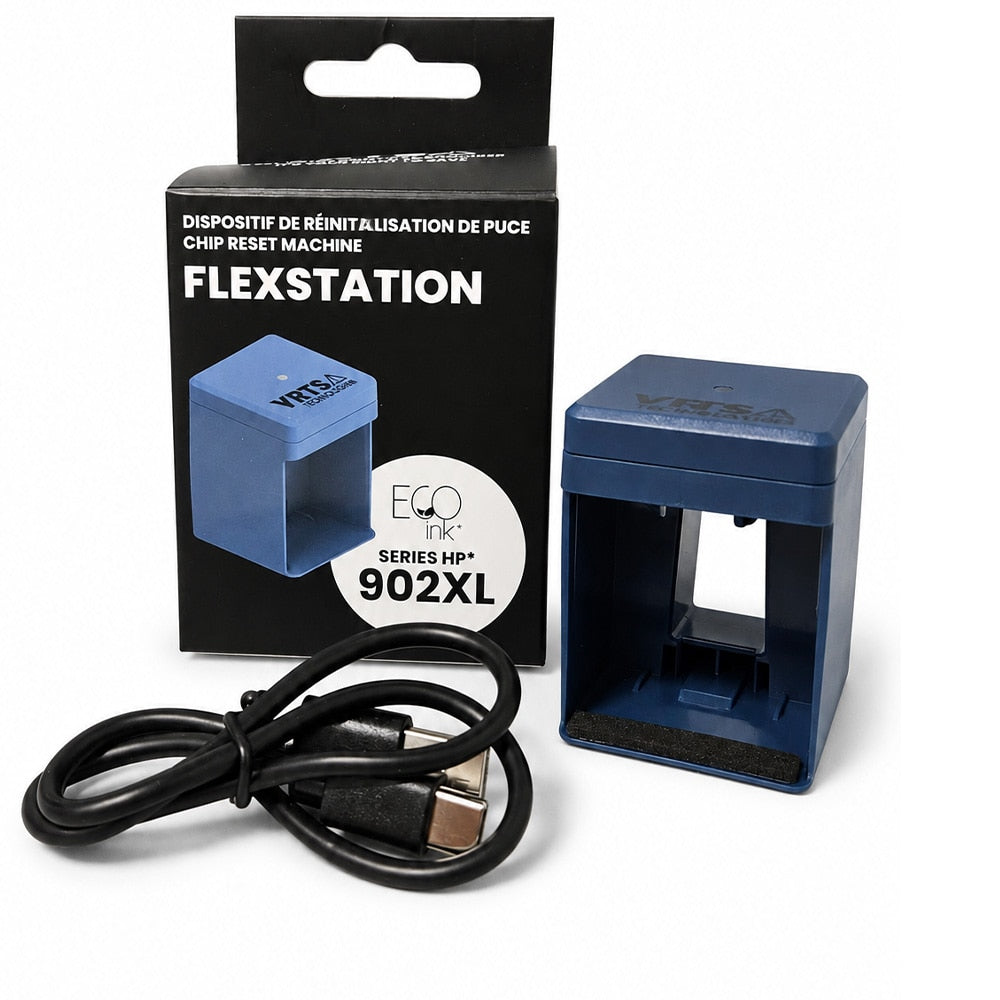
Read Printer Update InformationYRTS FlexStation Mini Chip Reset Machine for HP 902XL
The FlexStation is designed to update supported EcoInk cartridge chips before the cartridge is installed. The guided mobile application helps simplify the chip-update process and reduce setup errors.
How the FlexStation Works
- Connect the FlexStation to the supported mobile app by Bluetooth.
- Insert/position the compatible cartridge chip as directed by the app.
- Follow the visual steps to complete the chip update.
- Install the updated cartridge in the printer.
Technical Specifications
| Input Voltage | 5V |
| Connection | Bluetooth |
| Mobile Compatibility | Android & iOS |
Firmware notice: Printer manufacturers may release firmware updates that affect compatible cartridge recognition. Disable automatic printer firmware updates whenever possible.
Need setup help? Visit our Printer Update Information page for firmware guidance and official YRTS FlexStation resources.
Compatible Printer Models
Make sure your exact printer model is listed below. Click a model to view other compatible products.
YRTS FlexStation Mini Chip Reset Machine for HP 902XL
The FlexStation is designed to update supported EcoInk cartridge chips before the cartridge is installed. The guided mobile application helps simplify the chip-update process and reduce setup errors.
How the FlexStation Works
- Connect the FlexStation to the supported mobile app by Bluetooth.
- Insert/position the compatible cartridge chip as directed by the app.
- Follow the visual steps to complete the chip update.
- Install the updated cartridge in the printer.
Technical Specifications
| Input Voltage | 5V |
| Connection | Bluetooth |
| Mobile Compatibility | Android & iOS |
Firmware notice: Printer manufacturers may release firmware updates that affect compatible cartridge recognition. Disable automatic printer firmware updates whenever possible.
Need setup help? Visit our Printer Update Information page for firmware guidance and official YRTS FlexStation resources.
Future printer firmware updates may affect compatible-cartridge recognition.
To reduce compatibility risk, we recommend disabling automatic printer firmware updates when using compatible cartridges.
HP “e” models and printers enrolled in HP+ may not be compatible.
Selected YRTS/ChipFlex cartridges may qualify for supplier support if a firmware update affects cartridge-chip functionality.
Read Printer Update InformationCompatible Printer Models
Make sure your exact printer model is listed below. Click a model to view other compatible products.
Related Products
-
HP 902XL T6M14AN Remanufactured Ink Cartridge Black YRTS - by Eco Ink
Regular price $24.95 CADRegular price -
HP 902XL T6M10AN Remanufactured Ink Cartridge Yellow YRTS - by Eco Ink
Regular price $19.95 CADRegular price -
HP 902XL T6M06AN Remanufactured Ink Cartridge Magenta YRTS - by Eco Ink
Regular price $19.95 CADRegular price -
HP 902XL T6M02AN Remanufactured Ink Cartridge Cyan YRTS - by Eco Ink
Regular price $19.95 CADRegular price -
HP 902XL Remanufactured Ink Cartridge Set XL C / M / YXL Black - by Fuzion
Regular price $72.99 CADRegular price -
HP 902XL Remanufactured High Yield Ink Cartridge Yellow - by Fuzion
Regular price $22.99 CADRegular price -
HP 902XL Remanufactured High Yield Ink Cartridge Magenta - by Fuzion
Regular price $22.99 CADRegular price -
HP 902XL Remanufactured High Yield Ink Cartridge Cyan - by Fuzion
Regular price $22.99 CADRegular price -
HP 902XL Remanufactured High Yield Ink Cartridge Black - by Fuzion
Regular price $26.99 CADRegular price -
HP 902XL EcoInk 4-Color Ink Cartridge Bundle + YRTS FlexStation Chip Reset Machine - 825 each
Regular price $99.99 CADRegular price


